Retro Pixel Filter: Turn Your Photos Into Retro Pixel Art Free
By the AI Filtery Team
By the AI Filtery Team
Upload a photo and transform it with AI for free — no sign-up, no watermark, photos never stored.
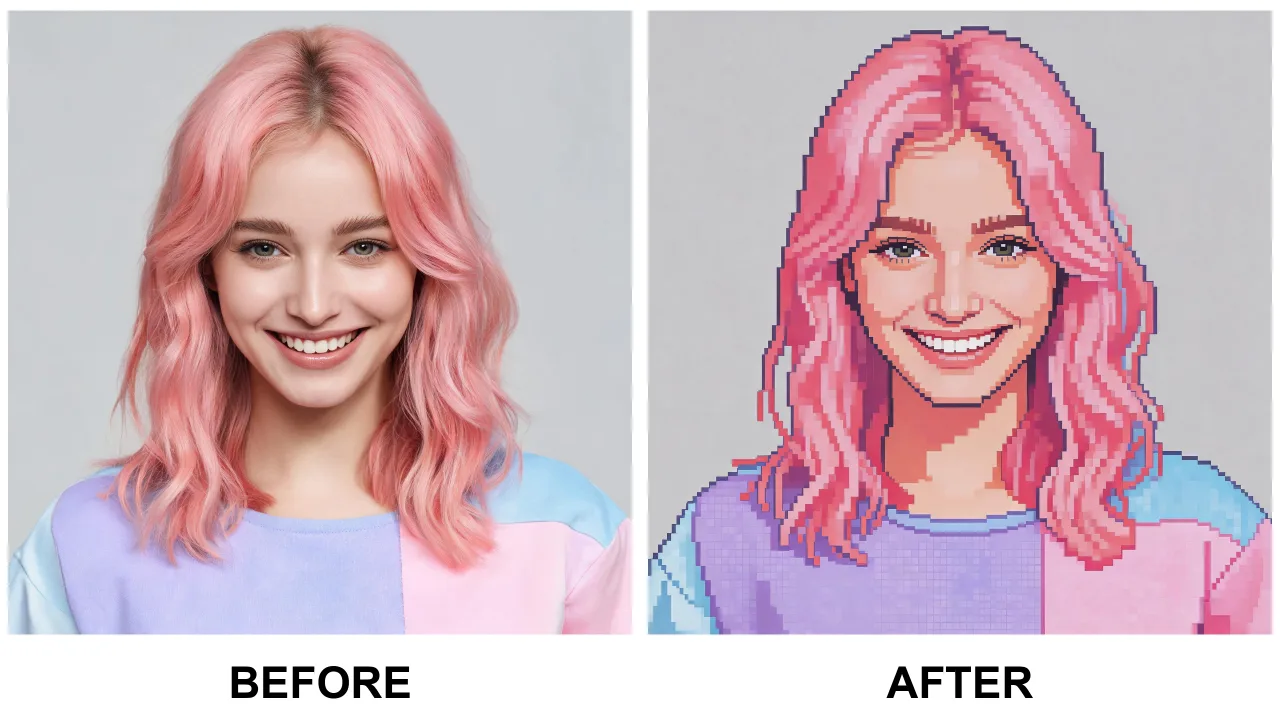
A retro pixel filter turns an ordinary photo into the crunchy, chunky pixels of classic 16-bit games. It quantizes the image into a vintage palette and redraws details as deliberate pixel clusters — like a screenshot from a beloved console era.
Unlike a blurry mosaic effect, a good retro pixel filter uses AI that understands the scene. Faces become expressive pixel portraits, skies become dithered gradients, and objects keep their silhouette — so your photo stays recognizable while gaining authentic retro charm.
Pick a clear, well-lit photo where your subject stands out. A simple background gives the retro pixel filter room to make every pixel count, and high contrast helps the limited palette read cleanly.
Upload it, wait a few seconds, and download your result as a high-resolution, watermark-free JPG. Your photo is processed in memory and never stored, so you can experiment freely.
Retro pixel art is perfect for game avatars. Streamers use it for channel art, gamers turn it into Steam or Discord profile pictures, and communities use matching pixel avatars for everyone in a guild or squad.
It also shines on posters, stream overlays, and social posts. Anything that needs a retro aesthetic — a tournament poster, a throwback post, a branded banner — gets instant 8-bit personality.
A retro pixel filter gives you classic game pixels; an anime filter gives you Japanese cel-shaded illustration; a cartoon filter gives you bold Western outlines. Each is a different language, and they suit different photos.
If you want the sharp, blocky, nostalgic look of a cartridge game, the retro pixel filter is the one. Try them side by side to see which finishing suits your photo best.
Mosaic apps shrink your image into tiny blurry squares, losing the scene entirely. An AI retro pixel filter rebuilds the image as deliberate pixel clusters, so it holds up at small sizes and still reads clearly as the thing you photographed.
Because it runs in the browser with no app and no sign-up, it is the fastest way to get a piece of retro game art that is unmistakably you — in seconds, for free.
Yes. Free with a generous daily limit, no sign-up, no credit card, and no watermark on your downloads.
Clear, well-lit photos with a strong subject and a simple background produce the cleanest pixel art conversions.
A mosaic just blurs your image into tiny squares. A retro pixel filter rebuilds the scene as deliberate pixel clusters, so it stays recognizable and holds up at small sizes.
Yes. The filter keeps the subject's identity, pose, and composition — it rebuilds the image in pixels rather than replacing it.
Game avatars, Discord and streaming overlays, posters, thumbnails, and social posts that need a retro aesthetic all work great.
Never. Photos are processed on the fly in memory and deleted immediately after your result is generated.