How to Make a Ghibli Style Photo From Any Picture
By the AI Filtery Team
By the AI Filtery Team
Upload a photo and transform it with AI for free — no sign-up, no watermark, photos never stored.
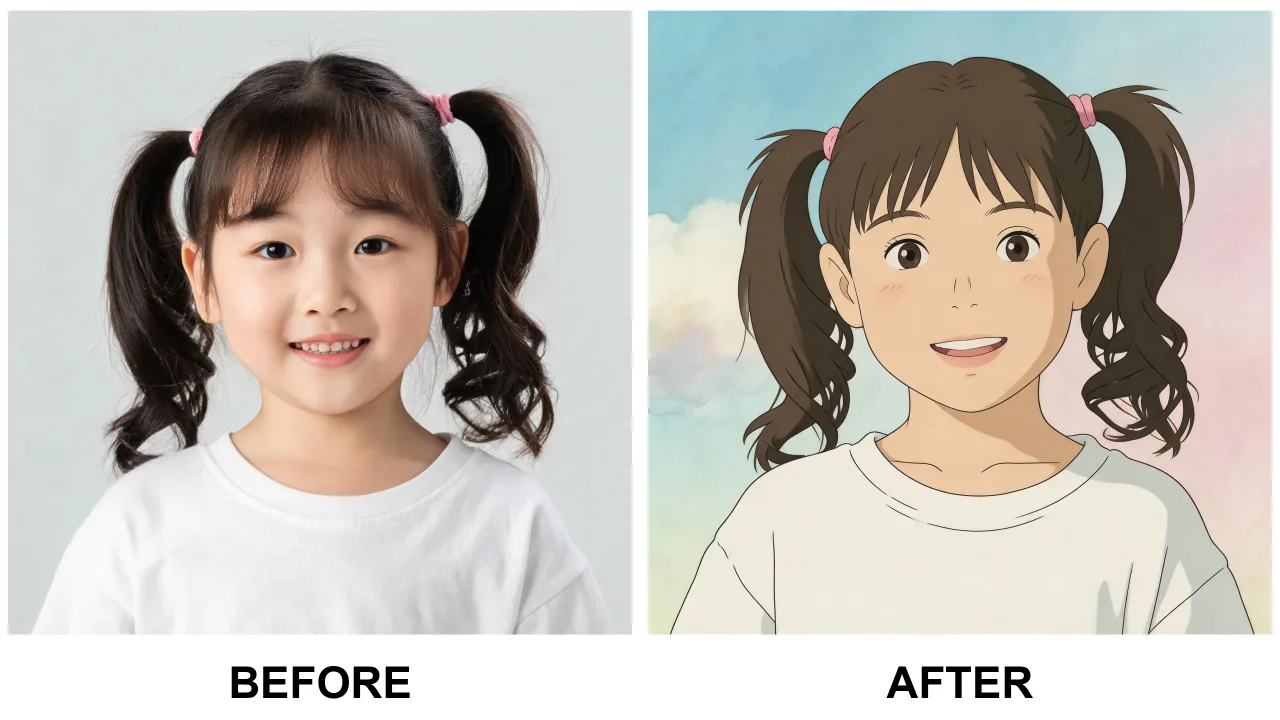
The Ghibli look is a specific bundle of visual choices: watercolor-soft skies, saturated but gentle greens, warm golden light, hand-painted textures and a general feeling of quiet. When people ask how to make a Ghibli style photo, what they really want is to apply that whole bundle to their own picture at once.
Doing that by hand takes painting skills most people do not have. AI filters compress the whole process into one instruction — which is why the three-step method below is now the standard answer.
Step one: choose the right photo. Pick a sharp, well-lit picture with a clear subject — portraits, gardens, pets and street scenes all translate beautifully. Natural light beats flash every time. Step two: run it through the free Ghibli filter on this page. The AI repaints light, color and texture while keeping your composition and subject exactly recognizable. Step three: download the high-resolution result and use it as a wallpaper, print or social post.
The whole process takes under a minute, and the free daily limit means you can iterate: if the first result is too subtle or too strong, simply try another photo or run it again.
Photos with visible sky, greenery or warm sunlight gain the most from the painterly restyle, because the style lives in exactly those elements. Busy indoor shots can work, but give the filter some nature to paint.
Finally, keep the originals: the charm of the style is comparing the everyday photo with its painted twin, and both are worth keeping.
Upload a well-lit photo to the free AI Ghibli filter, let it repaint the style in seconds, and download the result. No painting skills or software needed.
Yes — free with a generous daily limit, no sign-up, and downloads carry no watermark.
Sharp photos with natural light and a clear subject: portraits, landscapes, gardens and pets. Visible sky and greenery give the style the most to work with.
Yes. The filter repaints style — light, color and texture — while keeping your subject, pose and composition recognizable.
No. Photos are processed in memory and deleted immediately after generation. We never store, sell, or share your images.