Anime Filter TikTok: How the AI Anime Trend Works
By the AI Filtery Team
By the AI Filtery Team
Upload a photo and transform it with AI for free — no sign-up, no watermark, photos never stored.
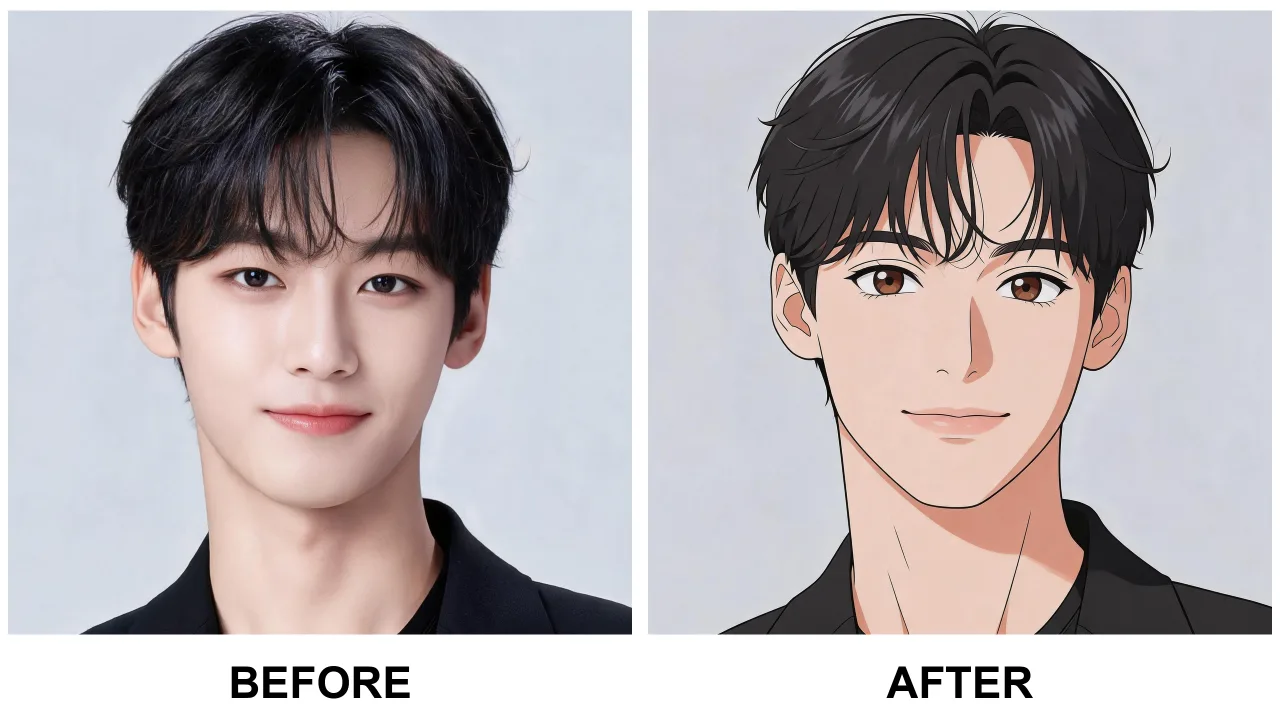
Scroll any feed and you will see them: friends, pets and skylines redrawn as anime characters, often with a satisfying before-and-after reveal. The anime filter TikTok trend is powered by AI photo-to-anime converters — tools that repaint a real photo in the visual language of Japanese animation while keeping the person recognizable.
The reason it spread so fast is simple: the results are personal. Unlike a generic cartoon effect, a good anime filter keeps your face shape, hairstyle and expression — so the anime character is unmistakably you, and that is exactly what people want to share.
Making your own is a three-step process. First, convert your photos: use the free anime filter below to turn two or three of your best pictures into anime versions. Second, line up the before-and-after: the reveal works best when the original and the anime version are framed identically. Third, post with the trending sound — but note the fine print of any trend: use your own photos, and respect the privacy of anyone else in the frame.
Quality tip: sharp, well-lit, front-facing photos convert most faithfully. If your first anime result looks off, try another photo before giving up on the trend — the input matters more than people expect.
In-app anime effects are fast but generic — everyone gets the same template face. Browser-based AI filters repaint your actual features, which reads noticeably better on camera. They also skip the app-store middleman: no download, no account, no watermark, and photos processed in memory rather than stored on someone else's server.
For a trend that is fundamentally about individuality, that difference is the whole point: your anime version should look like you, not like everyone else.
It is an AI photo-to-anime converter: upload a photo and it repaints you as an anime character while keeping your likeness. You can try a free one right on this page.
Convert two or three sharp photos with a free anime filter, pair the before-and-after in your editor, and post with the trending sound.
Yes — free with a generous daily limit, no sign-up, no watermark, and photos are never stored.
Yes. A quality AI anime filter repaints your actual features instead of stamping a generic face, which is why the results are worth posting.
Use your own photos, or ask first — the same privacy rules that apply everywhere else apply to trend videos too.